
Changelog
Follow up on the latest improvements and updates.
RSS
Updating a customer's marketing status now requires you to confirm, ensuring you're aware of the changes. Canned replies now support variables and have a disclaimer banner while being used. Received images now show in the inbox without occasionally being lost. When declined Tekmetric jobs are archived, we'll now delete the scheduled messages for deferred service reminders. Mobile app menu now opens when pressed.
improved
Optimized calendar load speed
Previously, the calendar took a few seconds to load and could even appear frozen as it collected your appointment data. We've improved calendar performance by 2-3x ensuring the page will consistently open quickly.
improved
Improved blast campaigns
Previously, you had to ask us about which segment was being used. Now, you can now view which segment has been applied to your scheduled blast from the campaigns area.
Inbox filters now sort out campaigns. Automations with attachments schedule retroactively. Increased phone number protections for duplicates. We renamed “service time limit” to “Appointment length limit” following your feedback! And a whole bunch more.
improved
Improved user management
Previously, you could only invite and remove users. Now, you can edit their role type and name from within user settings. This gives your shop admin more control.
new
improved
fixed
Inbox wishlist ✨
Previously, you could only filter the inbox by unread messages which was indicated by a small icon. Now, we've added a large selection box allowing you to see how your inbox is being filtered and choose from two new filters: campaigns and archived. This makes it easier to recognize what mode your inbox is in and navigate customer conversations. <!--
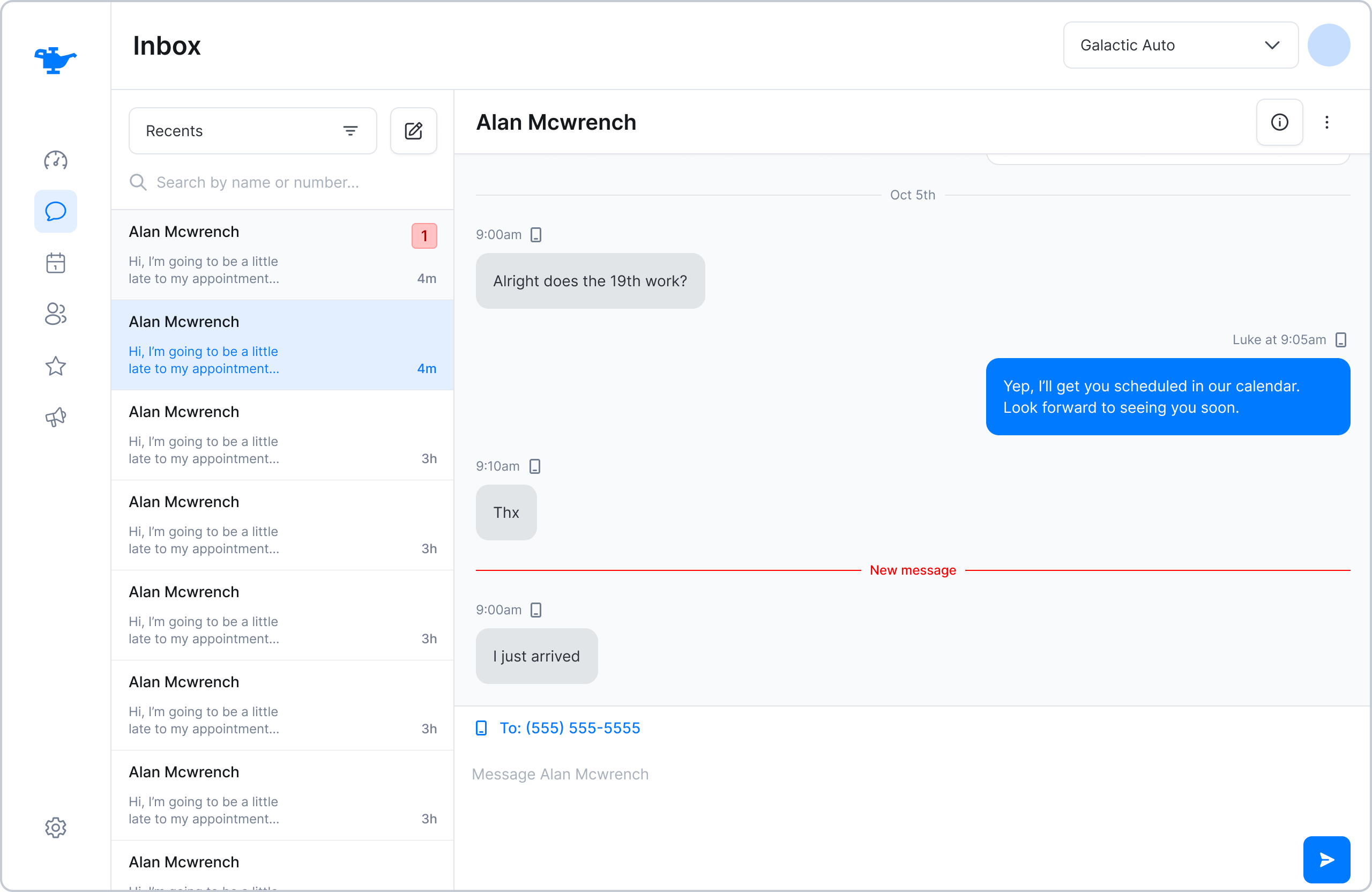
Feature updates:
- Mark as unread button is surfaced on top of the conversation, next to the customer’s name.
- Fixed the Inbox bug where the user couldn’t load more than 50 messages when scrolling.
- Changed SMS notification templates down.
- Extended activity logs.
Squashed bugs:
- Email submission for password reset is no longer case-sensitive.
- Added additional existing phone number validation when creating a customer in the Customers page.
- Edit/Create customer modal header and footer are sticky now.
-->
new
improved
fixed
Customer marketing status and validation
Previously, you could turn on or off customer DND to cancel scheduled marketing for customers. Now, you can change SMS or email channels independently .
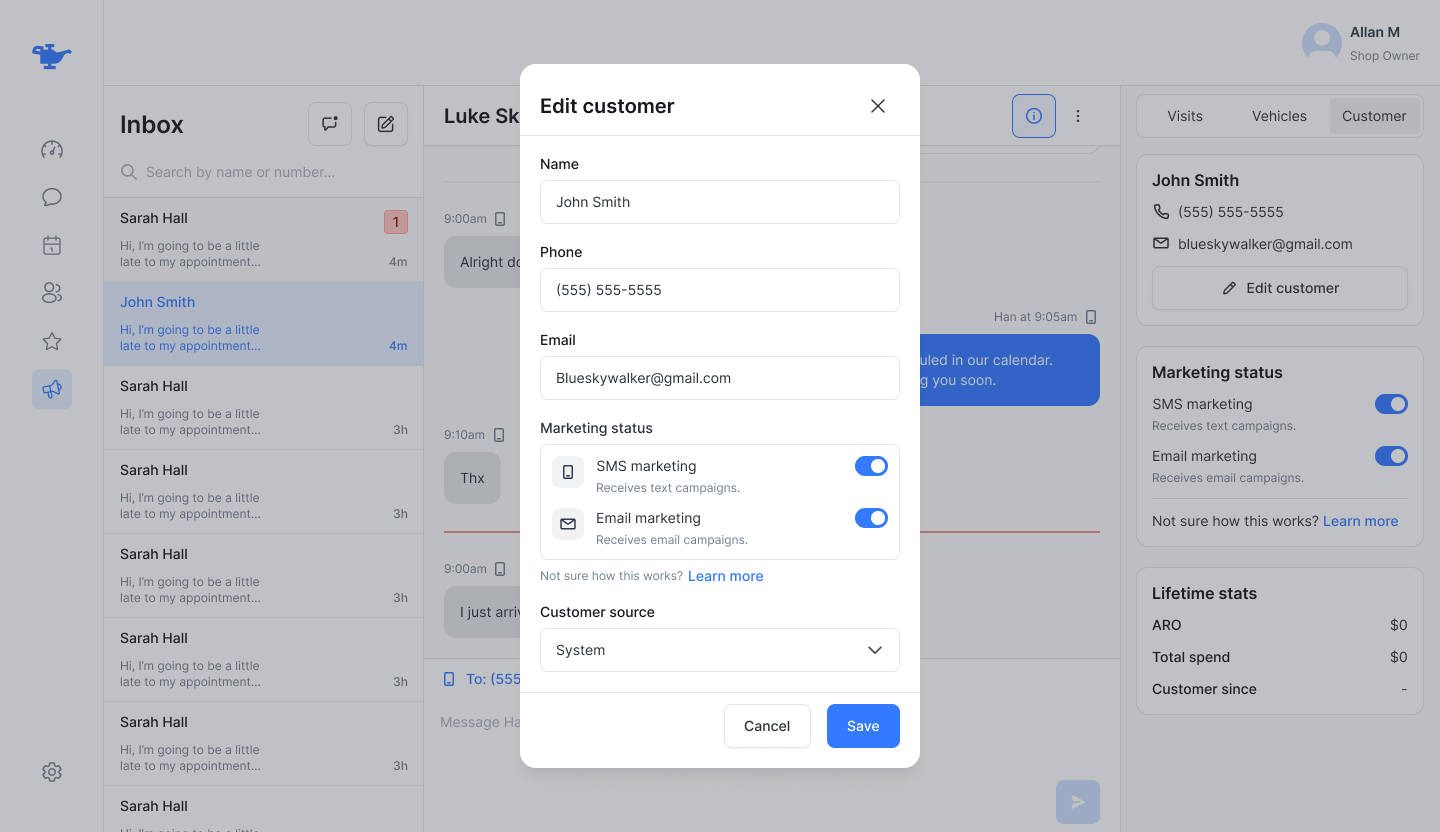
Here are a few other updates:
- Phone number validation: Detects whether the phone number format is - correct before sending a message.
- New look for the customer modal.
- Max. appointment times for bookings.
- Improved layout and descriptions for general booking settings.
- Keyword field will automatically add emails to the field when deselected.
- Updated wrench icon in CRM and in booking tool